Linux Mint Disk Move caused stuck start up
The problem
I have stalled not fully starting Mac Pro 3,1 after re-installing its SSD hard drive.
Upon reinstalling the SSD back into the Mac Pro the machine just hung on LM logo never booted any further. Recalling, I should be able to switch to a console output for booting with the chance of seeing any potential errors. I researched and rediscovered ctrl + ALT + Choose one at a time F1 through F7 to switch between consoles and GUI.
After switching to the F1 console output I was seeing a wall of errors as pictured.
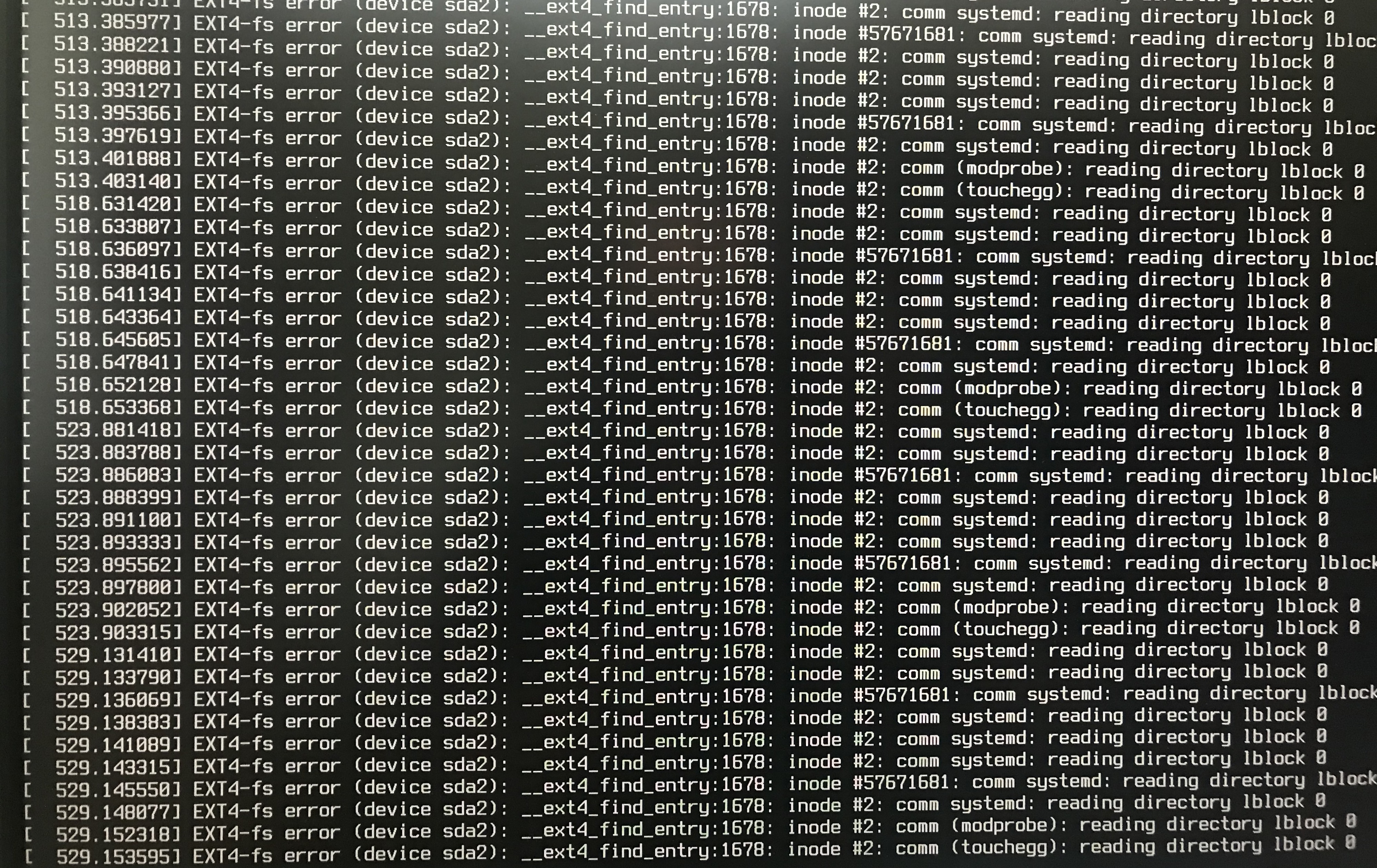
In short was getting at a lot of errors reading the file system like the following:
... EXT4-fs error (device sda2): __ext4_find_entry:1670: inode #2 ...
I restarted the system, and it was just going straight to Initramfs prompt and not doing anything useful.
Here is how I fixed it
- I plugged in my Linux Mint 21.1 USB bootable Live installer and rebooted the system running from the USB Stick.
- I Opened the Disks program by searching in the Linux Mint Menu.
- I located and selected the internal SSD from the list of installed disks
- Clicked the gear ring and selected
Repair Filesystem...for each partition on the boot and primary SSD.
When the repairs were completed, I restarted and removed the bootable USB drive. The Mac Pro was booting again, and all was working as it should be.